Live meter
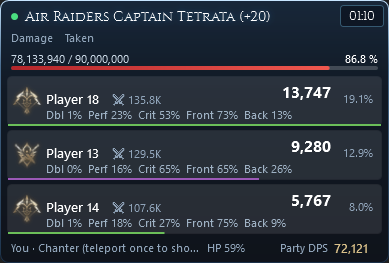
An overlay on top of the game with damage per player, crits, back attacks, damage taken and the boss's HP. A low-HP alert with its own sound, and a warning when the game server freezes.
Damage meter & fight analyzer for AION2
See your party's damage live, replay every fight, never miss a rift or world boss, and find hidden cubes with a compass. Passive, runs on your PC, open source.
Windows 10/11 · needs Npcap · free, GPL-3.0 · updates itself
Only in AVION2
Hidden cubes, found like a lost phone. AVION2 leads you to an area, and the moment the game shows a cube near you it switches to precision finding: distance, height and which way to turn.
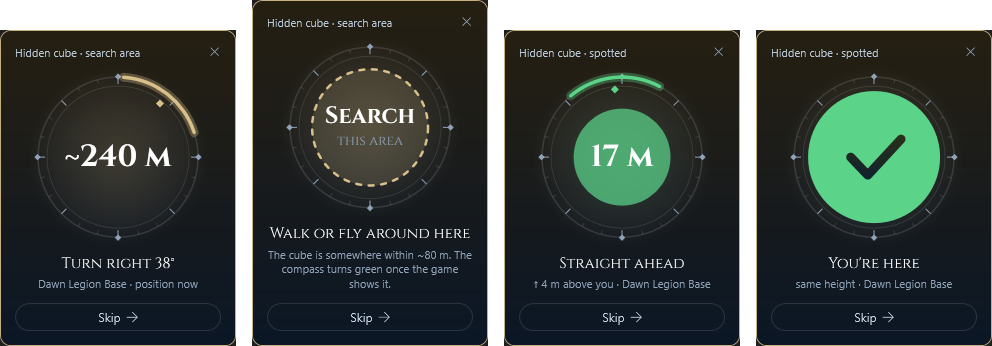
Optional and off by default. It uses cube positions the game sends to your PC before the cube is on your screen, which can be seen as an unfair advantage, so AVION2 asks you to confirm before switching it on.
An overlay on top of the game with damage per player, crits, back attacks, damage taken and the boss's HP. A low-HP alert with its own sound, and a warning when the game server freezes.
Every fight is saved: damage and healing per skill, crits, back attacks, damage taken by source, a timeline of each player's casts and buff uptime. Lag spikes are marked where they happened.
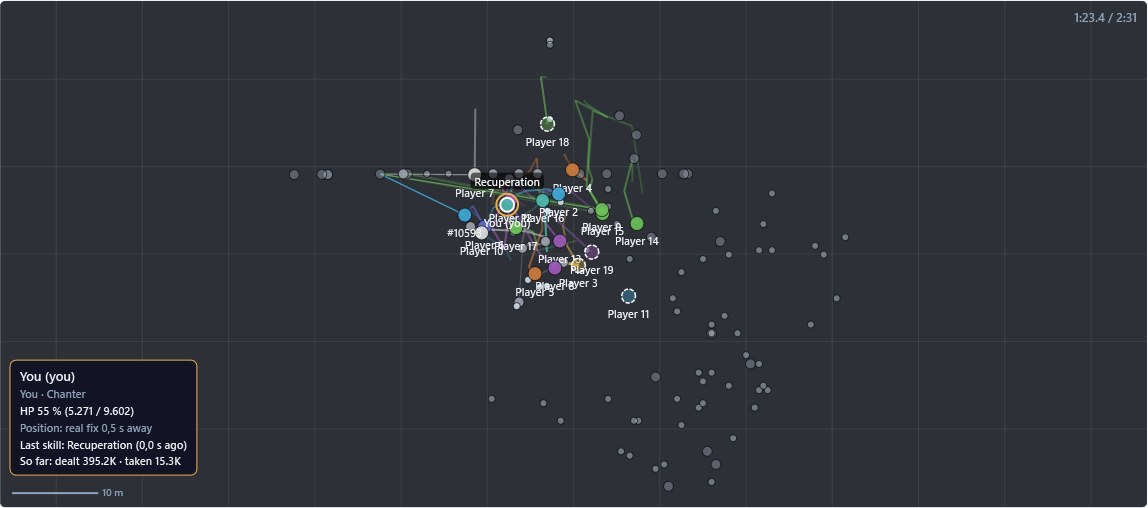
Watch any fight again from above: where everyone stood, who hit whom, and what each player was doing at that moment. Scrub through it, change the speed, click anyone for their HP and last skill.
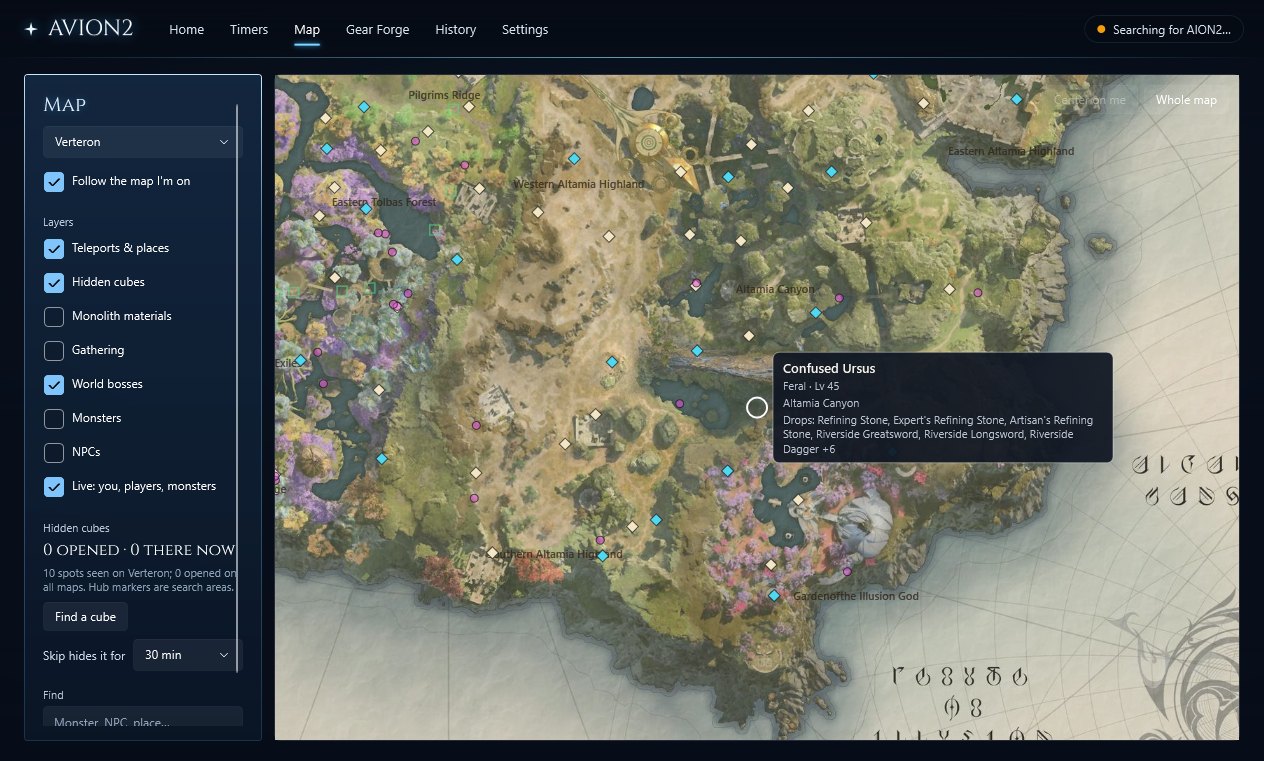
Every zone with teleports, gathering spots, monsters with their drops and NPCs. You and the players around you appear on it, with the way you face.
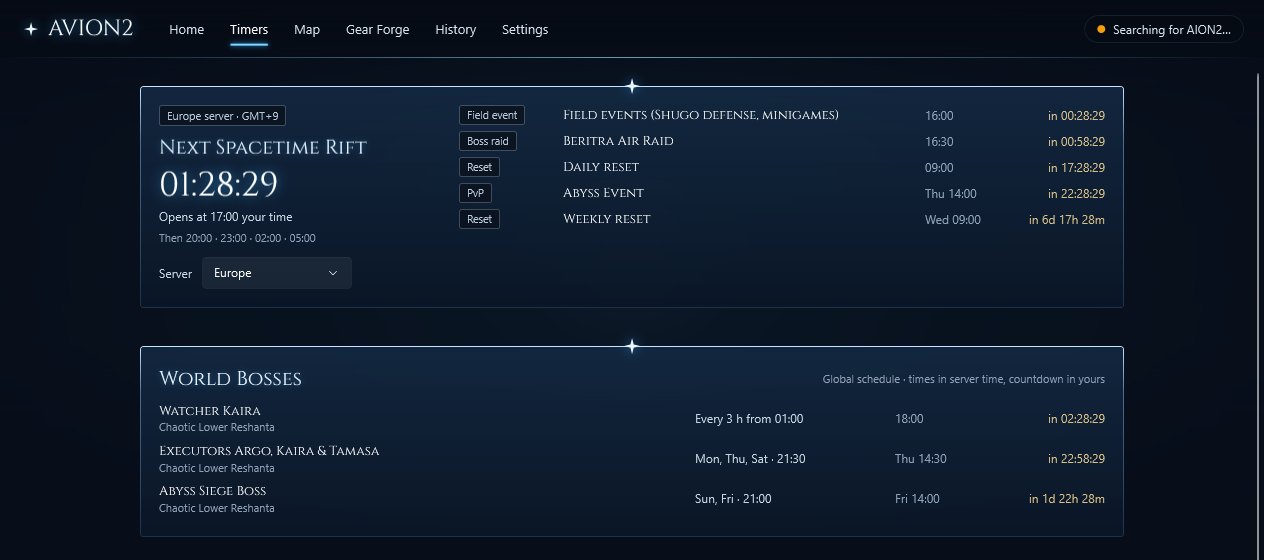
Spacetime Rifts, Beritra air raids, PvP events, resets, Reshanta world bosses and field boss respawns, in your time zone, with notices before they start.
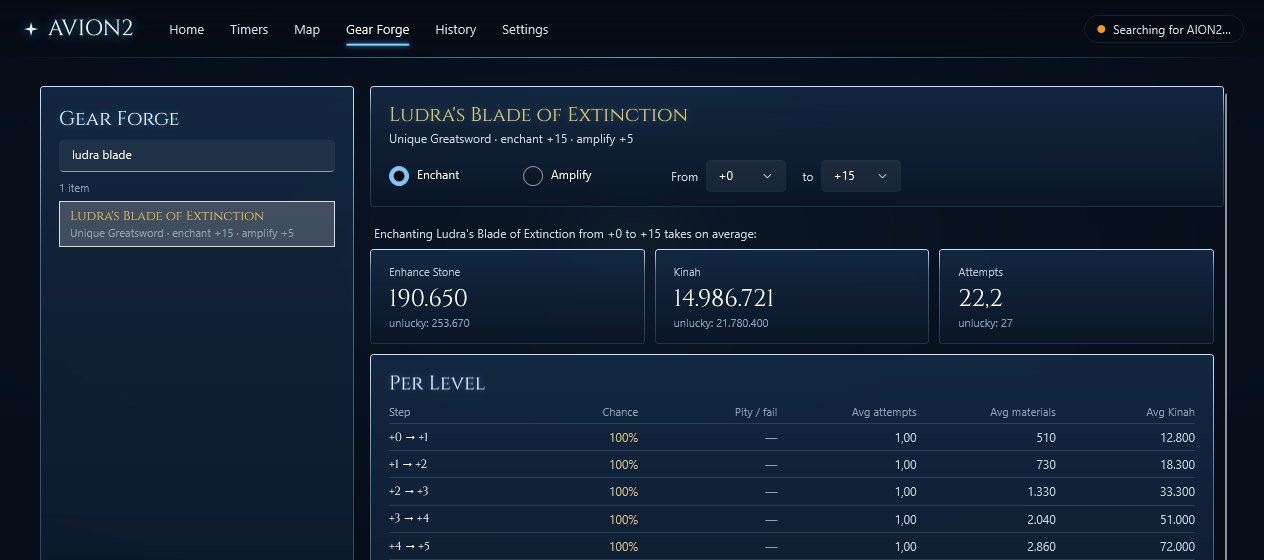
What it costs to enchant or amplify any item: average and unlucky materials, Kinah and attempts per level. It knows your equipped gear and what your Enhance Stones and Kinah cover.
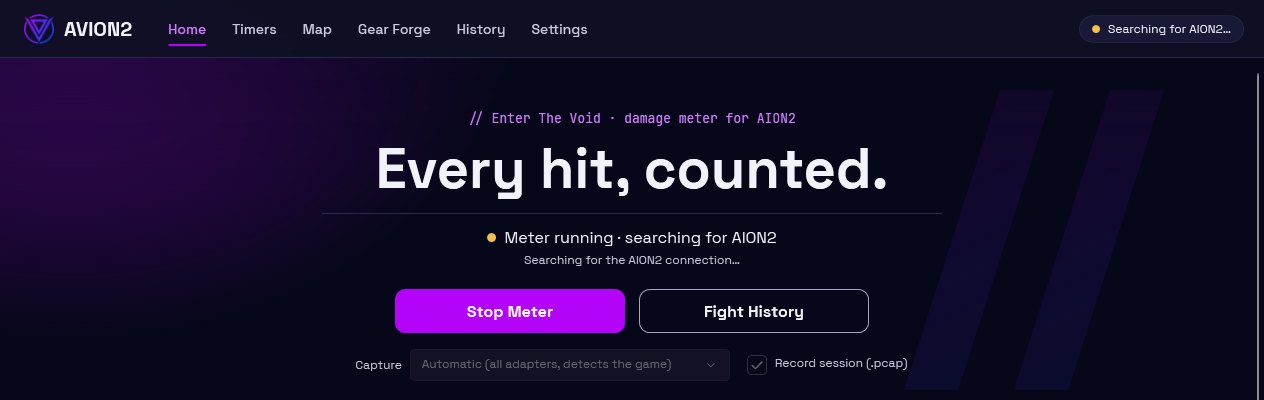
An AION2 look and the VOID theme. Skill and monster names in 10 languages.
AVION2 only reads the game's network traffic on your PC, the way a network monitor does. It doesn't touch the game, doesn't inject anything and doesn't send your data anywhere. Fights, recordings and settings stay on your PC.
AVION2.exe, press Start Meter, play.New versions show up as a banner in the app and install with one click.